
Apple Warranty & AppleCare+ Explained: Your Complete Guide
QUICK ANSWER
Most every Apple device comes with a free Apple Limited Warranty that covers manufacturing defects for one year. AppleCare+ is the paid upgrade that adds accidental damage protection (drops and spills), extends your coverage, and includes battery service and priority support. None of these plans cover data recovery, intentional damage, or cosmetic wear. Knowing the difference can save you real money and stress.
If you own an Apple device, you've almost certainly been asked the question at checkout: "Would you like to add AppleCare?" And if you're like most people, you made a quick yes-or-no decision without fully understanding what you were buying, or what you were turning down.
Here's the thing. Apple's coverage is genuinely useful, but it's also widely misunderstood. People pay for coverage they never use, skip coverage they end up needing, and miss out on benefits they're already paying for simply because nobody explained the details. Some folks don't even realize that the keyboard that came with their iMac might be covered, or that a cracked screen from an accidental drop is something you can get repaired for a fraction of the full cost.
As Portland's only independent Apple Authorized Service Provider, we handle Apple warranty and AppleCare+ claims every day. We see the confusion up close, and we see how much money and stress people could save if they understood their coverage. So let's clear it all up. Here's what Apple's warranty and AppleCare+ actually cover, what they don't, and the details most people miss.
First, the Big Confusion: Apple Limited Warranty vs. AppleCare+
The single most common misunderstanding is the difference between the limited warranty that comes with your device and the paid AppleCare+ plan. People often lump them together as "AppleCare," but they're two very different things.
The Apple Limited Warranty (the free one)
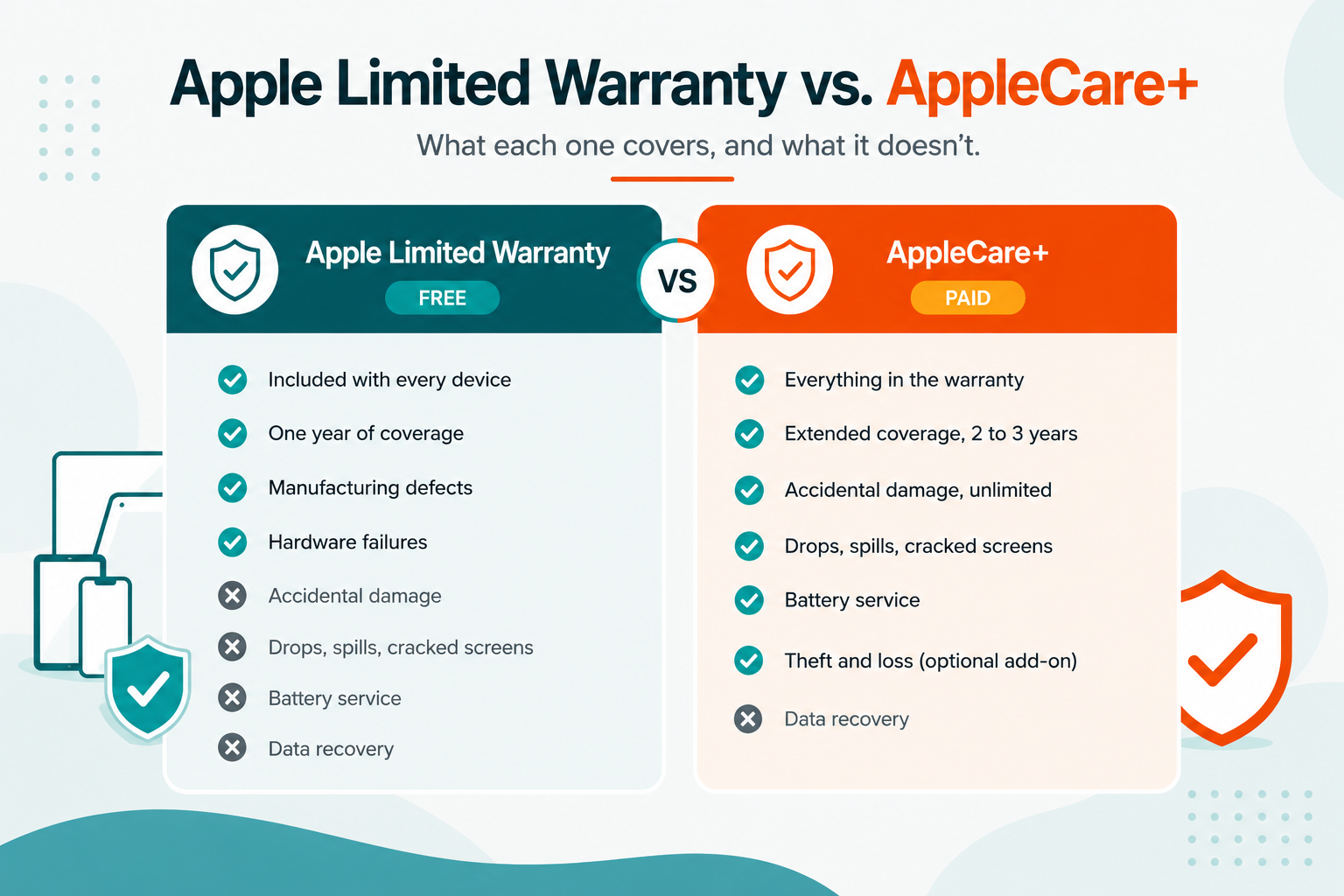
Most every Apple device comes with the Apple Limited Warranty included, at no cost. This is the standard one-year warranty. It lasts one year from the date you bought the device.
What it covers: hardware failures and manufacturing defects. If your device stops working through no fault of your own, a logic board that fails, a port that never worked right, the Apple Limited Warranty covers the repair at no charge.
What it does not cover: Drops, spills, cracked screens, liquid damage. If the failure was clearly caused by an accident, the free warranty generally won't help you. That said, the cause of certain damage isn't always obvious, and some borderline cases can go either way (more on that below).
AppleCare+ (the paid upgrade)
AppleCare+ is what you're offered at checkout for an additional cost. It builds on the free warranty in three meaningful ways.
• It extends your coverage period. Most devices go from one year to two years, and Macs and Apple displays extend to three years.
• It adds accidental damage protection. This is the big one. Drops, spills, cracked screens, and liquid damage are all covered, each subject to a service fee (more on that shortly).
• It adds battery service. If your battery degrades below 80 percent of its original capacity, the replacement is covered.
Think of it this way: the free Apple Limited Warranty is like the warranty on a new car. AppleCare+ is like adding comprehensive insurance on top. One protects you from defects. The other protects you from life.
The Accidental Damage Coverage Most People Underuse
If you have AppleCare+, the accidental damage protection is probably the most valuable benefit you're not fully using.
Here's what surprises people: AppleCare+ now covers an unlimited number of accidental damage incidents. It used to be capped at two incidents per year, but Apple has moved to unlimited coverage. Drop your iPhone and crack the screen on Monday, then knock it off the counter again next month? Both are covered. Each incident has a service fee, but there's no longer a limit on how many times you can use it.
Accidental damage includes exactly the kinds of things that happen in real life:
• Cracked or shattered screens from drops
• Liquid damage from spills, rain, or a drop in the sink
• Damaged back glass or external enclosures
• Bent or dented housings from impacts
The reason this matters: without AppleCare+, a single out-of-warranty screen replacement or liquid damage repair can cost several hundred dollars. With AppleCare+, that same repair is a comparatively small service fee. For anyone who has ever cracked a screen, the plan can pay for itself in a single incident.
The gray area: when "accidental" isn't so clear
Here's something many people don't realize: the line between a manufacturing defect and accidental damage isn't always obvious, and it isn't always where you'd assume. A hairline fracture in a laptop screen, for example, can sometimes be the result of a material or manufacturing issue rather than a drop, and in cases like that Apple will occasionally cover the repair under the free Apple Limited Warranty, even though it looks like the kind of damage you'd expect to pay for.
You can't tell which category your situation falls into just by looking, and the difference can mean the difference between a free repair and a paid one. This is exactly why it's worth bringing your device to an Apple Authorized Service Provider for inspection before you assume you're on the hook. We can examine the device, assess the likely cause, and advise you properly on whether it may be covered. It costs you nothing to find out, and it can save you a repair bill you didn't actually owe.
The Accessory Coverage Almost Nobody Knows About
This is one of the best-kept secrets in AppleCare+, and it's the kind of thing we end up explaining to customers in the shop all the time.
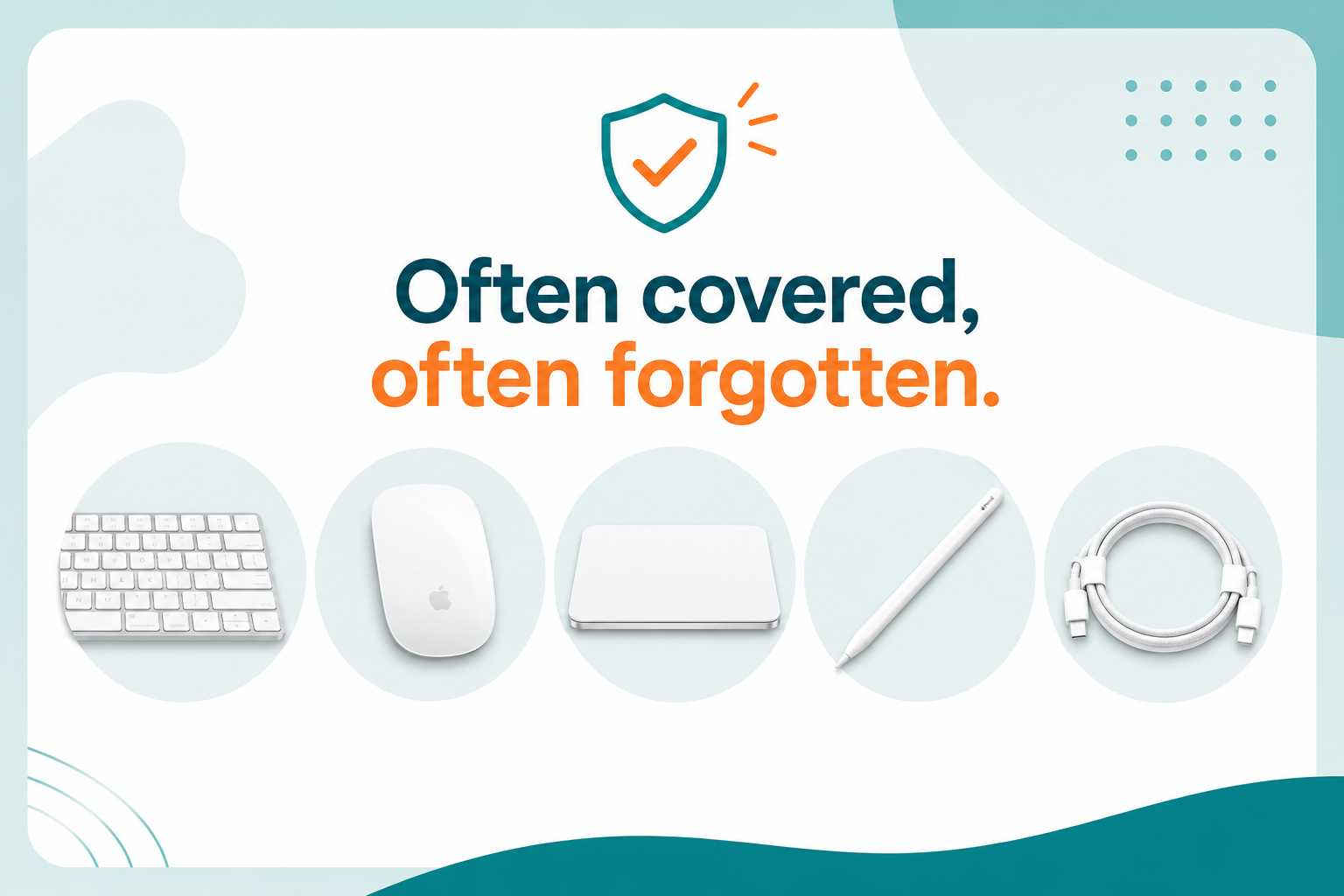
Your AppleCare+ coverage can extend to certain Apple-branded accessories, not just the main device. Specifically, for a Mac, the coverage can include an Apple-branded mouse, Magic Trackpad, and keyboard, as long as they either came in the box with your Mac, or were purchased alongside a Mac mini, Mac Pro, or Mac Studio (the desktop Macs that don't include input devices in the box).
So if the Magic Keyboard that came with your iMac starts having issues, or the Magic Mouse you bought with your Mac Studio stops tracking correctly, those may be covered under your Mac's AppleCare+ plan. A lot of people assume accessories are always separate, pay out of pocket, or simply replace them, when they were covered all along.
The same idea applies to iPad. An Apple Pencil and an Apple-branded iPad keyboard can be covered under your iPad's AppleCare+ plan. The in-box accessories that came with your device, like the charging cable and power adapter, are generally covered too.
Worth knowing: accessory coverage has specific rules. If you're told an accessory isn't covered and you believe it should be, it's worth asking again or having an Apple Authorized Service Provider check the terms for you. The coverage is real; it just isn't well known.
What Apple's Coverage Does NOT Include
Just as important as knowing what's covered is knowing what isn't. Here's where people get caught off guard.
Your data
This is the big one, and it's the gap that hurts people the most. Neither the Apple Limited Warranty nor AppleCare+ covers data recovery. If your drive fails or your device is damaged badly enough that your photos, files, and messages are at risk, Apple's repair process is focused on fixing or replacing the hardware, not recovering what was on it. In fact, many repairs involve replacing the component that holds your data, which means that data is simply gone unless you backed up beforehand.
MacForce has options for data. If your data matters, you need a plan for it that goes beyond your Apple coverage.
Intentional or cosmetic damage
Damage you cause on purpose isn't covered, and neither is normal cosmetic wear that doesn't affect function, like light scratches or scuffs. AppleCare+ is for accidents and failures, not for making an old device look new again.
Unauthorized modifications and third-party repairs
If your device has been modified, jailbroken, or previously repaired by a non-authorized shop using non-genuine parts, that can void your coverage. This is one of the most important reasons to use an Apple Authorized Service Provider for any repair. A repair at a non-authorized shop can permanently compromise your warranty and AppleCare+ standing. A repair at an authorized provider keeps everything intact.
Loss and theft (unless you have the specific add-on)
Standard AppleCare+ does not cover a lost or stolen device. There's a separate tier, AppleCare+ with Theft and Loss, that adds this protection for iPhone, and it requires that Find My was active on the device at the time. If you didn't specifically choose the Theft and Loss plan, a lost iPhone is not covered.
The Newer Option: AppleCare One
Apple recently introduced a newer plan worth knowing about, especially if you own several Apple devices.
AppleCare One is a subscription plan that lets you cover multiple devices under a single monthly price, rather than buying separate AppleCare+ plans for each one. It covers up to three devices to start, with the option to add more, and it includes the same kinds of benefits: accidental damage protection and battery service.
There's an important catch worth understanding before you count on it. To start an AppleCare One plan, you need at least one device that's already eligible, meaning a device that's currently covered by AppleCare+ or still within its first 60 days from purchase. If every device you own is out of warranty with no active coverage, you can't start a plan. You need that one eligible device to open the door.
Once the plan is set up, you can add other devices you already own, as long as they're in good condition and less than four years old. This is the genuinely useful part, since it's a departure from the old model where coverage generally had to be added within 60 days of buying a device. Be aware that Apple may require a diagnostic check first, and in some cases that means taking the device to an Apple Store for inspection before it can be added.
Whether AppleCare One or individual AppleCare+ plans make more sense depends on how many devices you have, how new they are, and whether you have an eligible device to start with. The math is different for everyone, but it's worth knowing the option, and its requirements, exist.
About Those Deductibles (Service Fees)
When you use AppleCare+ for accidental damage, you pay a service fee, sometimes called a deductible. This is the part people forget about: AppleCare+ makes repairs dramatically cheaper, but accidental damage repairs are not free.
The service fee varies based on the device and the type of damage. As a general rule, screen damage carries a lower fee, and other types of damage (like liquid damage or a cracked back) carry a higher one. The fees are different for an iPhone versus an iPad versus a Mac. Hardware failures that aren't your fault, like a defective component, remain covered with no service fee, because those fall under the warranty side of your coverage.
Even with the service fee, the savings are substantial. An accidental-damage repair under AppleCare+ typically costs a small fraction of what the same repair would cost out of warranty. That's the whole point of the plan: you trade a predictable upfront cost and a modest service fee for protection against a large, unpredictable repair bill.
How to Check What Coverage You Actually Have
Plenty of people aren't sure whether they have AppleCare+, when it expires, or what it covers. Here's how to find out in about a minute.
• Check online: Go to checkcoverage.apple.com and enter your device's serial number. You'll see your coverage status and expiration date.
• Check on the device: On an iPhone or iPad, go to Settings, then General, then AppleCare & Warranty. On a Mac, click the Apple menu, choose System Settings, then General, then AppleCare & Warranty.
• Just ask us: Bring your device in, or give us a call, and we'll look up your coverage for you. We do this all day long.
The One Gap Apple Coverage Can't Fill
Even the most comprehensive AppleCare+ plan has one gap it will never close: your data. Coverage protects the hardware. It doesn't protect the photos, documents, and memories living on that hardware. When a device fails or gets damaged, the repair process can mean losing everything that wasn't backed up.
That's the one area where having a local, independent Apple Authorized Service Provider makes a real difference. We process your Apple warranty and AppleCare+ claims exactly like an Apple Store would, with the same genuine parts and the same Apple-backed guarantee. But unlike the Apple Store, we also offer optional data recovery and backup services for the situations Apple coverage doesn't include. If your data is at risk, you have an option you simply don't have anywhere else.
We covered that difference in depth in our earlier post on whether you actually have to go to the Apple Store. If you haven't read it, it's a useful companion to this guide.
Have a question about your Apple coverage?
We're Portland's only independent Apple Authorized Service Provider, and we're always happy to help you understand your coverage, check your status, or walk through your options. No appointment needed. Walk in or book online, and bring your questions.
Learn more: Apple Warranty & AppleCare+ Repair in Portland →
